Zum Inhalt springen
View in the app

A better way to browse. Learn more.

GFU Community

A full-screen app on your home screen with push notifications, badges and more.

To install this app on iOS and iPadOS
  1. Tap the Share icon in Safari
  2. Scroll the menu and tap Add to Home Screen.
  3. Tap Add in the top-right corner.
To install this app on Android
  1. Tap the 3-dot menu (⋮) in the top-right corner of the browser.
  2. Tap Add to Home screen or Install app.
  3. Confirm by tapping Install.

Rangliste

Beliebte Inhalte

Inhalte mit der höchsten Reputation am 24.09.2019 in allen Bereichen anzeigen

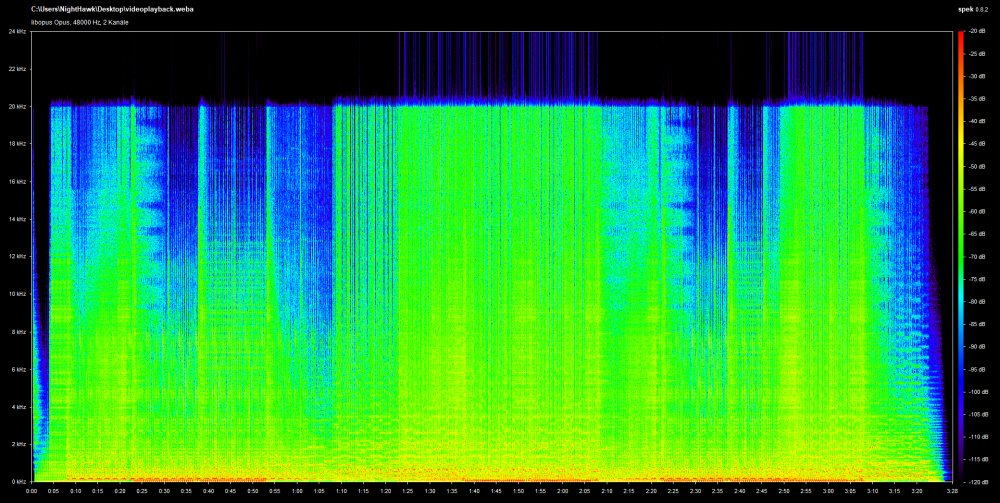
  1. Where did you get it ? Youtube rip ? What format did you rip it ? What website did you use ? All these questions will affect sound quality. 😉 The highest quality audio stream youtube offers is 160kbps ".webm" / ".weba" wich looks like this: So by using that 160kbps webm/weba stream you go up from 16khz to at least 20khz in terms of peak frequency. 😉 I'd say it's about the same as a 320kbps mp3 file, but I could be wrong, since mp3 may use other methods to compress filesize. Not sure.
Diese Rangliste nutzt Berlin/GMT+02:00 als Grundlage

Account

Navigation

Suche

Suche

Konfiguriere Browser-Push-Benachrichtigungen

Chrome (Android)
  1. Tap the lock icon next to the address bar.
  2. Tap Permissions → Notifications.
  3. Adjust your preference.
Chrome (Desktop)
  1. Click the padlock icon in the address bar.
  2. Select Site settings.
  3. Find Notifications and adjust your preference.