




Rangliste
-
Schlonte
Mitglieder1Punkte1.349Gesamte Inhalte -
C_Dj
Mitglieder1Punkte1Gesamte Inhalte -
DonHergeFan
Moderatoren1Punkte3.946Gesamte Inhalte -

Sottosopra
Administratoren1Punkte5.823Gesamte Inhalte




Beliebte Inhalte
Inhalte mit der höchsten Reputation am 13.03.2025 in Beiträge anzeigen
-
1 Punkthttps://youtube.com/playlist?list=OLAK5uy_lg39mjhRUPhquL4gdTp6sWycGhmfJ75KE&si=lSvQhP5pSjPKIGjl Kann das sein das die Songs von Kikko sind? Ein Typ aus Bolivien behauptet das zumindest!1 Punkt
-
1 Punkthttps://www.facebook.com/stories/122093931056746265/UzpfSVNDOjk2Mzc5NDY3NTk1NDA2NA==?view_single=false1 Punkt
-
Gemäß whosampled.com wurde der Sound aus "Dancer" von Gino Soccio entnommen. Ab 0:19 gut zu hören.1 Punkt
-
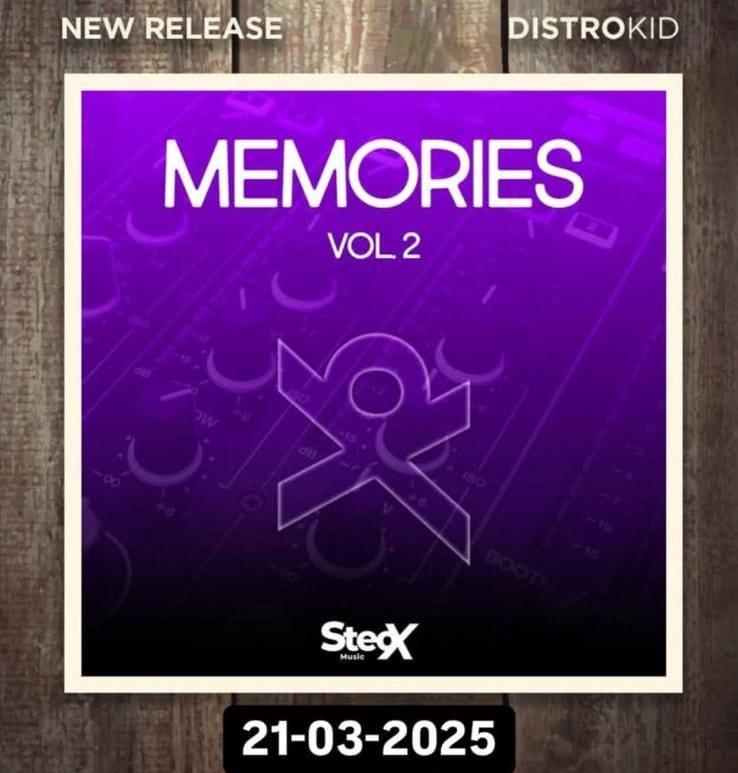
1 Punkt😀Grüße aus Santa Cruz – Bolivien an die gesamte Community. Ich hoffe, dass es euch gut geht, was meine Veröffentlichung betrifft. Tatsächlich ist Stefano Di Nunzio der richtige Name und der Künstlername war Kikko zur Zeit der Radiosendungen „Il cammino di Gigi D'agostino“, aber jetzt kehrt er mit einem neuen Künstlernamen zurück, wie Sie bereits „SteoX“ gesehen haben, und er beginnt mit der Veröffentlichung jener Produktionen, die er eines Tages auf seinen SoundCloud-Account hochgeladen hat. Am 21.03.2025 erscheint Band 2...
 1 Punkt
 -
1 PunktJawoll endlich! Ich warte schon seit 2012 drauf, dass Kikko auch endlich all sein Zeug veröffentlicht! 😃 Damals hatte er ein paar Previews bei Soundcloud, aber im Gegensatz zu Dallas & Co. blieb es ja dabei...1 Punkt

Diese Rangliste nutzt Berlin/GMT+02:00 als Grundlage