






Wally44
Administratoren
-
Benutzer seit
-
Letzter Besuch
Alle Inhalte von Wally44
-
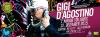
Die Serie ist #TheNewsroom. Der Dialog sieht nach Staffel 1 aus. (2012)Ein RT sagt mehr als 1000 Worte :D Ein DoppelRT sagt viel viel mehr als 1000 Worte :D Ein DreifachRT sagt viel viel viel mehr als 1000 Worte :D Ein VierfachRT sagt viel viel viel mehr als 1000 Worte :D Ein FünffachRT sagt viel viel viel mehr als 1000 Worte :D Ein SechsfachRT sagt viel viel viel mehr als 1000 Worte :DGigi D'Agostino @ Christmas Club Krems 12.12.2015 https://www.facebook.com/events/1694407657445108/
Account
Navigation
Suche
Konfiguriere Browser-Push-Benachrichtigungen
Chrome (Android)
- Tap the lock icon next to the address bar.
- Tap Permissions → Notifications.
- Adjust your preference.
Chrome (Desktop)
- Click the padlock icon in the address bar.
- Select Site settings.
- Find Notifications and adjust your preference.
Safari (iOS 16.4+)
- Ensure the site is installed via Add to Home Screen.
- Open Settings App → Notifications.
- Find your app name and adjust your preference.
Safari (macOS)
- Go to Safari → Preferences.
- Click the Websites tab.
- Select Notifications in the sidebar.
- Find this website and adjust your preference.
Edge (Android)
- Tap the lock icon next to the address bar.
- Tap Permissions.
- Find Notifications and adjust your preference.
Edge (Desktop)
- Click the padlock icon in the address bar.
- Click Permissions for this site.
- Find Notifications and adjust your preference.
Firefox (Android)
- Go to Settings → Site permissions.
- Tap Notifications.
- Find this site in the list and adjust your preference.
Firefox (Desktop)
- Open Firefox Settings.
- Search for Notifications.
- Find this site in the list and adjust your preference.