Rangliste
-
hlennarz
Moderatoren7Punkte3.438Gesamte Inhalte -
tbg
Mitglieder4Punkte446Gesamte Inhalte -
henk_jan
Mitglieder1Punkte1.102Gesamte Inhalte -
DJ Maldestra
Moderatoren1Punkte1.051Gesamte Inhalte




Beliebte Inhalte
Inhalte mit der höchsten Reputation am 17.09.2022 in allen Bereichen anzeigen
-
People probably fear to get banned as usual... 🤣5 Punkte
-
Same singer as "Music: An Echo Deep Inside" ? 🧐2 Punkte
-
I think because it uses a melody from a Depeche Mode song. Back then it might have been difficult to release properly.1 Punkt
-
1 Punkt
-
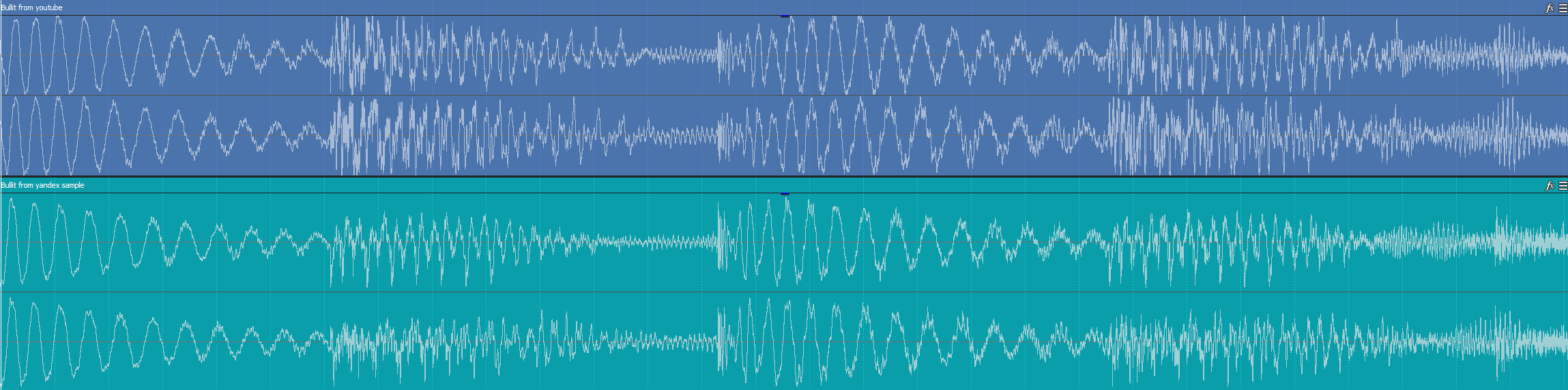
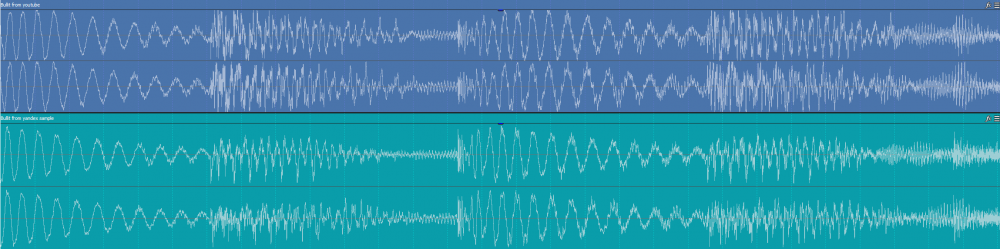
1 PunktI haven't had a chance to buy this latest EP yet, but the difference between the kick waves of one from yandex sample and the one on Tanzen EP (based on the youtube track) is very different. Probably because they have a different equalization. In itself, the songs have a slight difference, minimal, but when you compare them together you can appreciate it (apart from what you can see in the waves). Also note the difference mentioned by renonskaro.
 1 PunktDiese Rangliste nutzt Berlin/GMT+02:00 als Grundlage