




Rangliste
-
hlennarz
Moderatoren3Punkte3.438Gesamte Inhalte -
ShadowMP
Administratoren1Punkte7.481Gesamte Inhalte -

Sottosopra
Administratoren1Punkte5.825Gesamte Inhalte -
Yunsung
Mitglieder1Punkte1.164Gesamte Inhalte




Beliebte Inhalte
Inhalte mit der höchsten Reputation am 19.11.2023 in allen Bereichen anzeigen
-
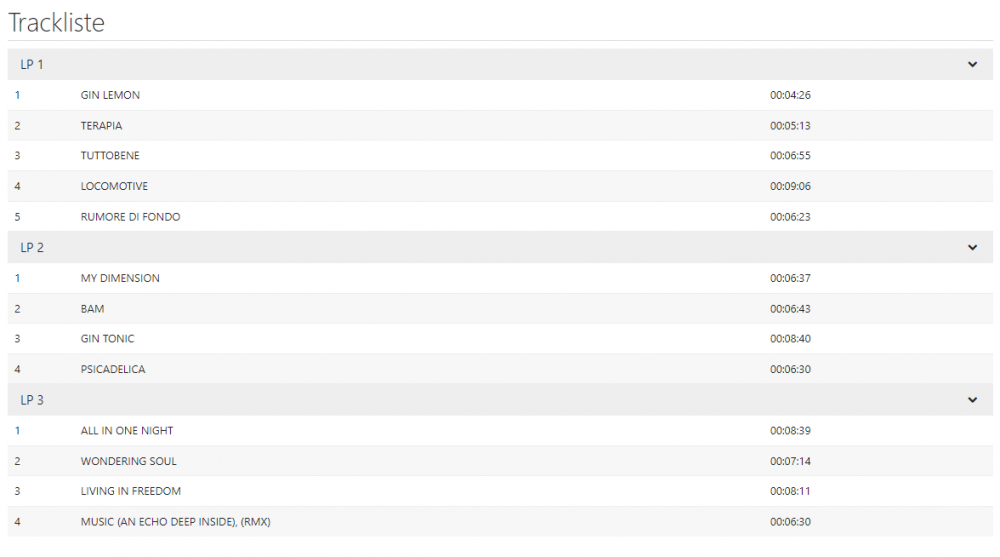
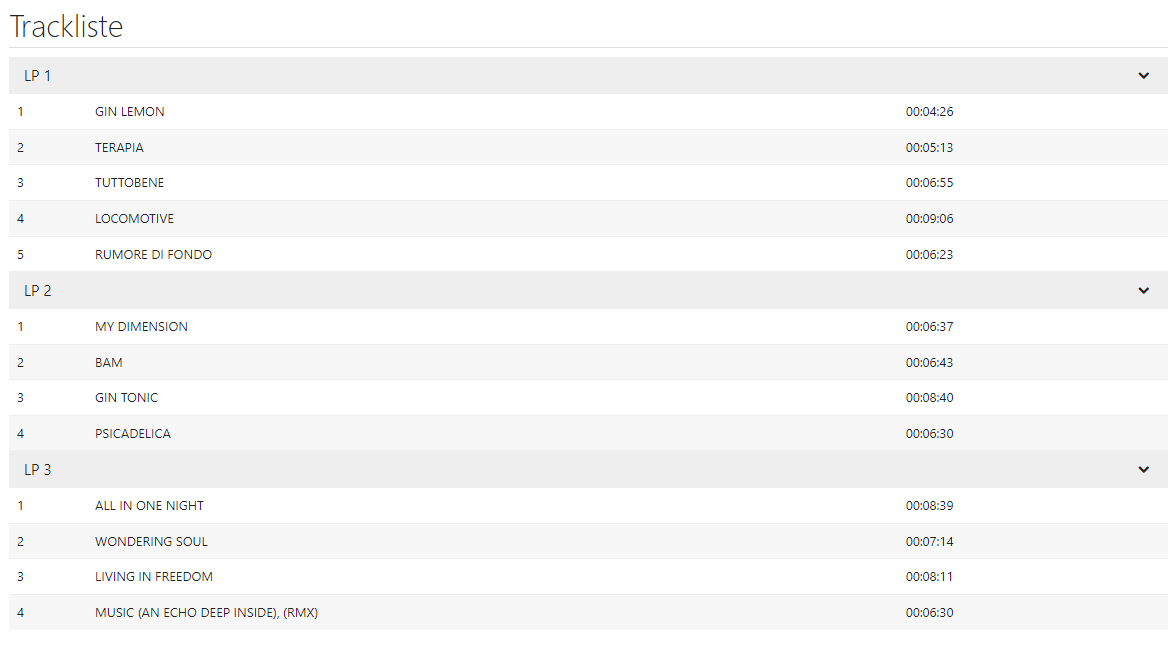
Tracklist wird zum Glück doch die der originalen EP sein: https://www.buecher.de/shop/dancepop/gin-lemon-e-p-/d-agostinogigi/products_products/detail/prod_id/69108245/
 2 Punkte
 -
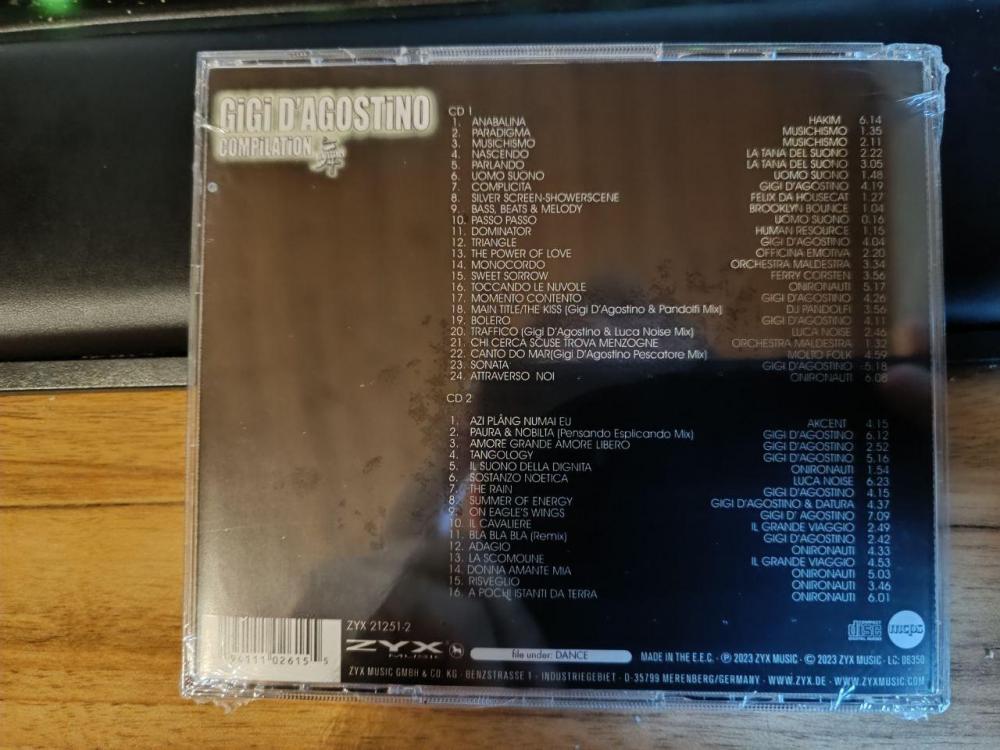
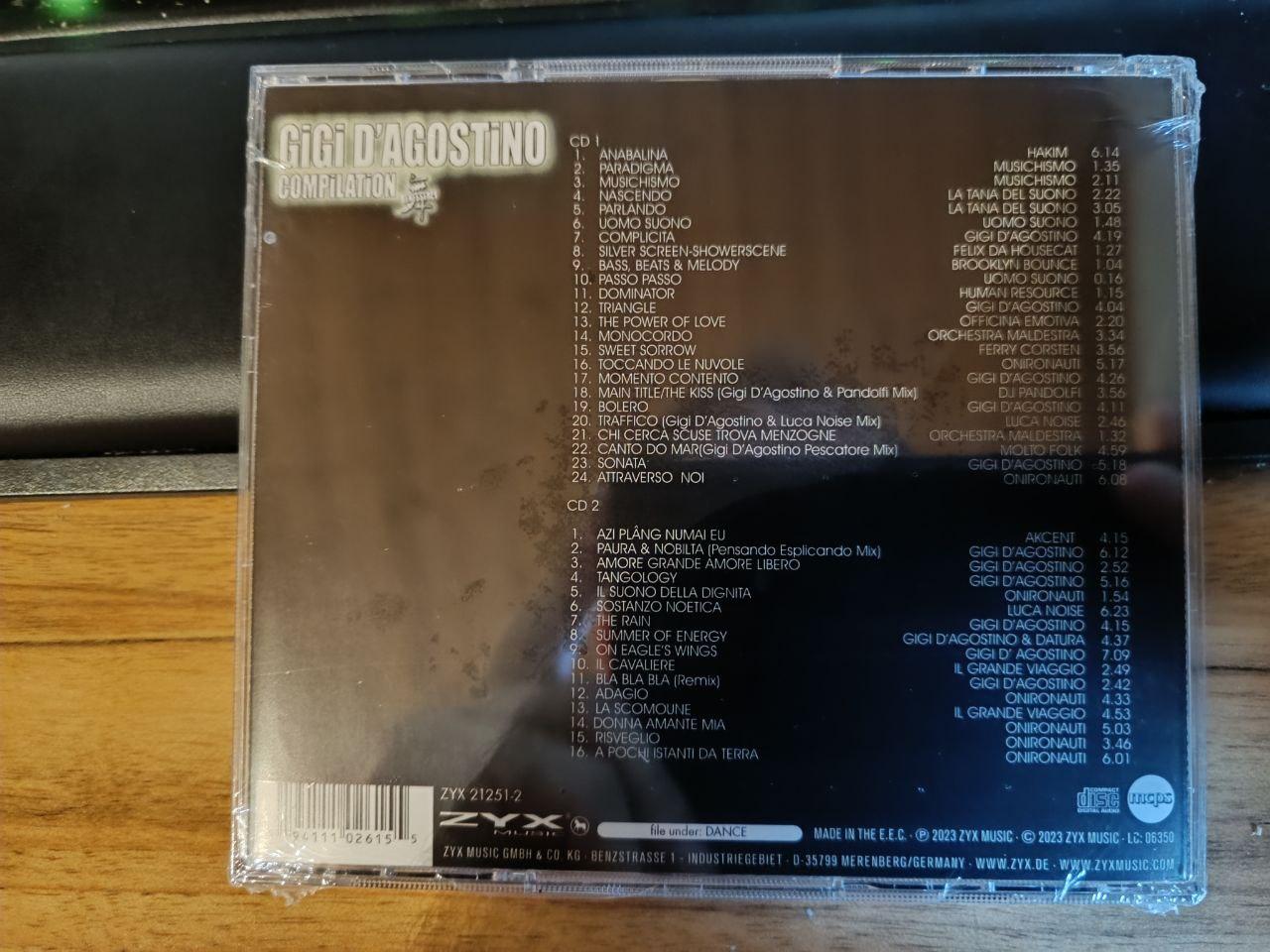
Ich habe die CD bereits heute bekommen. Auf der recht tristen Rückseite ist der Schriftzug noch mit kleinem i geschrieben... Bis auf das fehlende Leerzeichen bei "Canto Do Mar" vor der Klammer mit Mixtitel und die fehlende Leerzeile nach "CD1:" sehe ich auch auf Anhieb erstmal keine ZYX typischen Fehler... Edit: Nevermind, "SostanzO Noetica"
 1 Punkt
Diese Rangliste nutzt Berlin/GMT+02:00 als Grundlage