




Rangliste
-
Phil
Administratoren16Punkte5.654Gesamte Inhalte -
tbg
Mitglieder4Punkte446Gesamte Inhalte -
Paradise96
Mitglieder4Punkte480Gesamte Inhalte -
hlennarz
Moderatoren1Punkte3.438Gesamte Inhalte




Beliebte Inhalte
Inhalte mit der höchsten Reputation am 28.04.2023 in allen Bereichen anzeigen
-
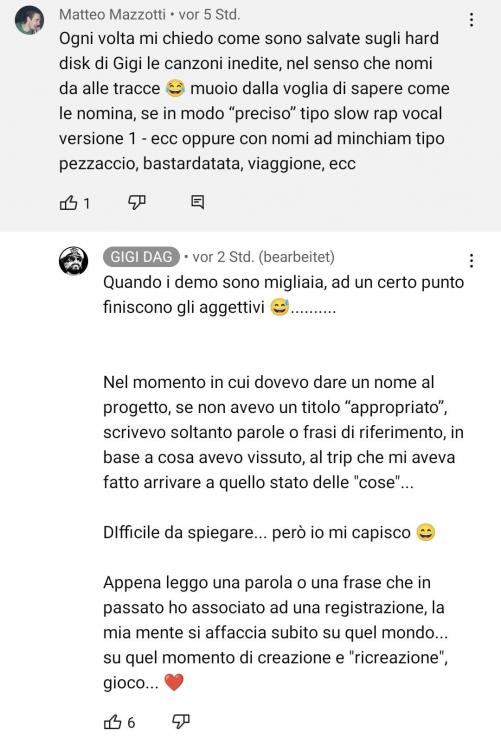
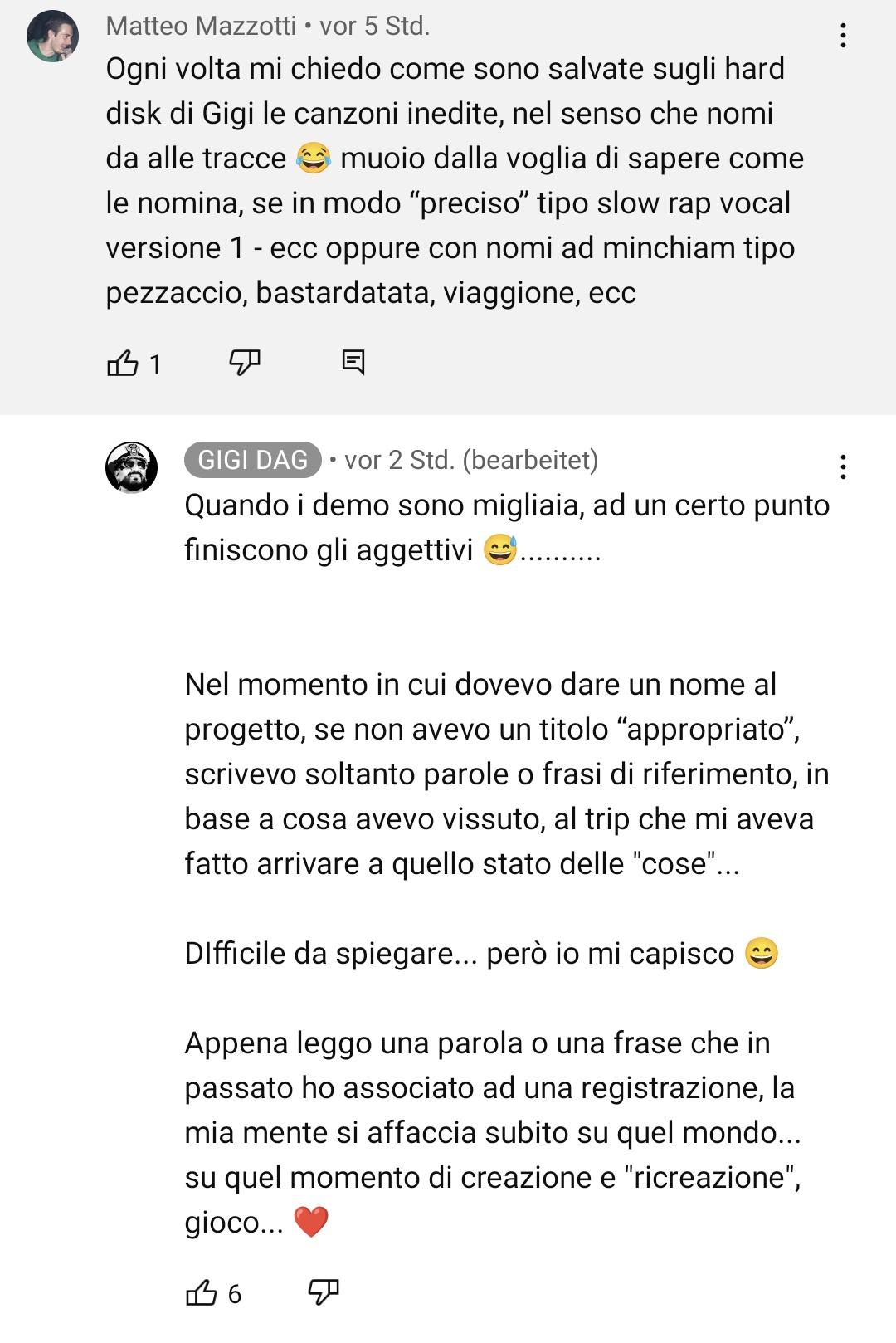
4 PunkteEinsichten in die Entstehung der Track-Titel (aus den Kommentaren von Camminacaso 03 auf Youtube)
 4 Punkte
 -
https://magnaromagna.bandcamp.com/album/privamera-ep Mal wieder eine schöne EP mit wundervollen Melodien. Vielen Dank Magna Romagna. 🙂4 Punkte
-
1 Punktmaybe you are completely wrong as usual... this camminacaso aren't even mixed, I think Gigi make them very quickly and easily... we need only patience, this unknown feeling!1 Punkt
-
1 Punktmaybe there won't be any more episodes. Casadag Radio also only had a few programs. ☹️1 Punkt
-
1 PunktIch kann zwar ungefähr herausnehmen was er da schreibt, aber wie wäre es mit einer Übersetzung? (Englisch reicht)1 Punkt
-
1 PunktDas ganze ist vermutlich eher dafür gedacht, sich an die Zeit damals, an die Momente auf den Lives etc. zurück zu erinnern und nicht damit wir unsere "Sammlungen" vervollständigen können Und die meisten dieser Demos haben bestimmt keinen richtigen Anfang und kein Ende... Also ich freue mich lieber über das, was wir da bekommen... 🤩1 Punkt
-
Here's more info about this EP: https://www.italodancemusic.com/italodance-news/magna-romagna-primavera-ep/1 Punkt
-
https://www.youtube.com/watch?v=fcPELEcfj5o Dieser Titel wurde mir gerade in der Musikauswahl von Instagram vorgeschlagen^^ Mal was anderes von Luca Noise...1 Punkt




Diese Rangliste nutzt Berlin/GMT+02:00 als Grundlage